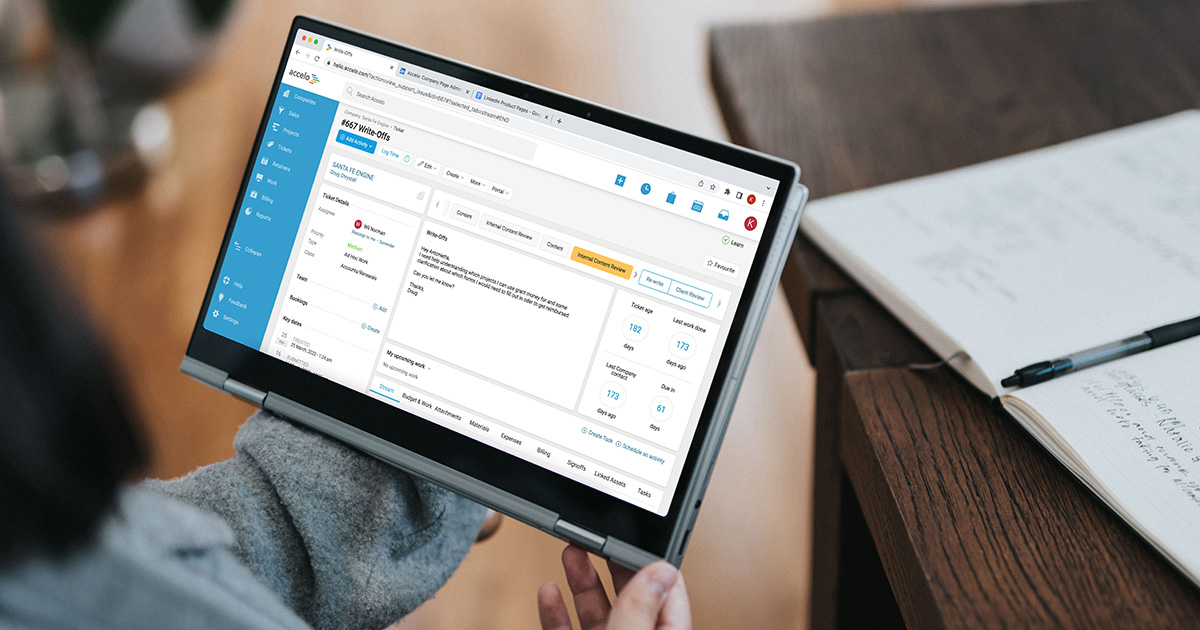
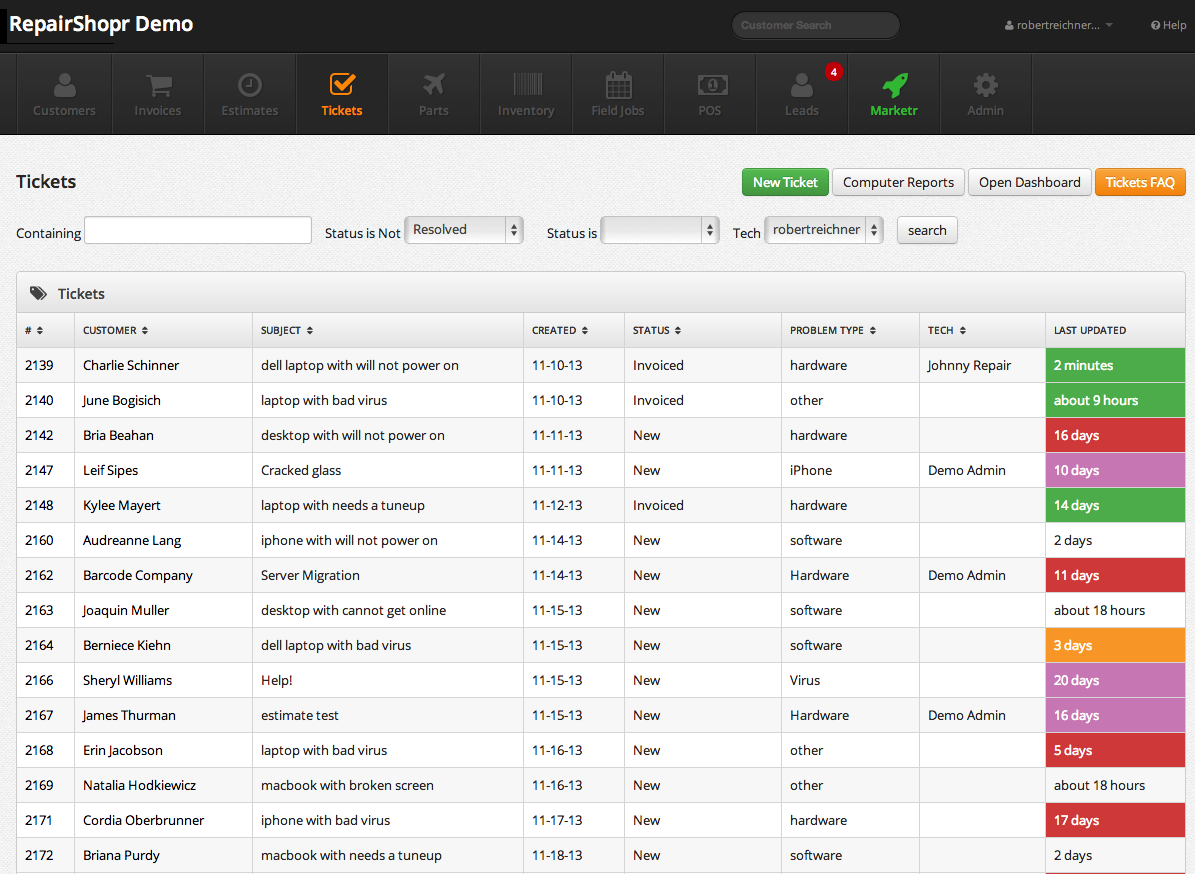
crm ticketing software is revolutionizing the way businesses manage customer inquiries and issues. This innovative tool helps organizations streamline their customer support processes, ensuring that no query goes unanswered and that clients receive timely resolutions. With features that enhance communication and organization, this software is becoming a staple for businesses aiming to improve customer satisfaction.
By integrating various functionalities such as automated responses, tracking, and reporting, crm ticketing software not only boosts efficiency but also allows teams to focus on what they do best—providing exceptional service. The combination of technology and customer-centric approaches makes it an essential asset for any modern business.
Time management is a crucial skill in today’s fast-paced world. With increasing demands from work, family, and personal interests, it often feels like there are not enough hours in the day. However, mastering the art of time management can lead to improved productivity, reduced stress, and a better work-life balance. In this article, we will explore various strategies and techniques that can help you take control of your time and ultimately enhance your quality of life.
Understanding Time Management
At its core, time management involves planning and exercising conscious control over the amount of time spent on specific activities. Good time management enables an individual to complete more in a shorter period of time, lowers stress, and leads to career success. It is about making effective choices to prioritize tasks that align with personal and professional goals.
Identifying Your Goals
The first step in effective time management is to identify your goals. Take some time to reflect on what you want to achieve in both your personal and professional life. Set short-term and long-term goals that are specific, measurable, achievable, relevant, and time-bound (SMART). By clearly defining your objectives, you will have a roadmap that guides your daily activities and prioritizes your tasks.
Prioritizing Tasks
Once you have established your goals, the next step is to prioritize tasks based on their importance and urgency. One popular method for prioritization is the Eisenhower Matrix, which divides tasks into four quadrants:
- Urgent and Important: Tasks that must be done immediately.
- Important but Not Urgent: Tasks that are important but can be scheduled for later.
- Urgent but Not Important: Tasks that are urgent but can be delegated or postponed.
- Not Urgent and Not Important: Tasks that are distractions and should be eliminated.
By categorizing tasks in this manner, you can focus on what truly matters and avoid getting lost in the noise of less critical tasks.
Creating a Schedule
With your goals and priorities in mind, it’s time to create a schedule. Whether you prefer digital calendars or traditional planners, having a visual representation of your tasks can help you allocate time effectively. Block out time for your most important tasks, and don’t forget to include breaks and downtime. A well-structured schedule can prevent overwhelm and keeps you on track throughout the day.
Setting Boundaries
In order to manage your time effectively, it’s essential to set boundaries. This means learning to say no to tasks and commitments that do not align with your goals. It can be tempting to take on additional responsibilities, but overcommitting can lead to burnout and decreased productivity. Protect your time by being clear about your limits and prioritizing your commitments accordingly.
Eliminating Distractions
Distractions can be major time thieves. Identify the factors that disrupt your focus, whether it’s social media, email notifications, or an unorganized workspace. Take steps to eliminate or minimize these distractions. For example, you might consider using apps that block social media during work hours or designating a specific work environment that is free from interruptions.
Time Blocking Technique
Time blocking is a popular time management technique where you divide your day into blocks of time, each designated for a specific activity or task. This approach allows you to allocate your focus and energy to one task at a time, reducing the temptation to multitask, which often leads to decreased efficiency. Start with a few time blocks for your most important tasks, and gradually expand this method to other areas of your schedule.
Utilizing Tools and Technology
There are numerous tools and technologies available to assist with time management. From productivity apps like Trello and Asana to calendar tools like Google Calendar, leveraging these resources can streamline your workflow. Experiment with different tools to find what works best for you and your style of organization.
Reviewing and Adjusting
Time management is an ongoing process. Regularly review your goals and your schedule to assess what is working and what is not. Adjust your strategies as necessary. Self-reflection is key; consider what time management techniques have helped you succeed and which areas need improvement. Continuous adjustment will help you refine your skills and increase your productivity over time.
Conclusion
Mastering time management is an essential component of personal and professional success. By setting clear goals, prioritizing tasks, creating a structured schedule, and eliminating distractions, you can take control of your time and enhance your productivity. Remember, effective time management is less about managing time itself and more about managing yourself. With practice and the right strategies, you can transform your daily routine and lead a more balanced and fulfilling life.
Questions Often Asked
What is crm ticketing software?

crm ticketing software is a system that helps businesses manage customer support requests efficiently, allowing for better tracking and resolution of issues.
How does crm ticketing software improve customer service?
It improves customer service by automating responses, organizing inquiries, and providing insights into customer interactions, which leads to quicker resolutions.
Can crm ticketing software be integrated with other tools?
Yes, most crm ticketing software can be integrated with various tools such as email, chat, and CRM systems to enhance functionality.
Is crm ticketing software suitable for small businesses?
Absolutely! crm ticketing software is beneficial for businesses of all sizes, including small businesses, as it helps streamline support processes without requiring extensive resources.
What features should I look for in crm ticketing software?
Look for features like ticket management, automation, reporting tools, integration capabilities, and user-friendly interfaces for optimal effectiveness.